
Navigating the course
Let’s talk about the details you’ll need to know to fully participate in this class. We promise the rest of the class will be more interesting than this page.
Audio Settings
Enable Autoplay. The narration in this course is designed to autoplay. However, some browsers do not autoplay by default. If this is the case with your browser, either switch to another browser or go to your browser settings and activate autoplay. If neither of those options works for you, you can just click play (located on the left side of the audio bar) on each page.
Disable Autoplay. If you are the type of learner who likes things silent, or if you don’t want to disturb your officemate, you can disable autoplay (if it’s enabled) for this site in your browser.
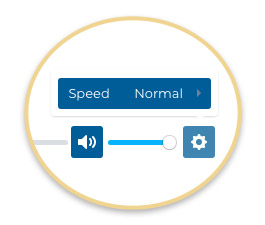
Set Speed. You can speed up or slow down the narration by clicking on the settings icon to the right of the audio bar and setting your desired speed.
Video
Throughout the course, you will be watching entertaining, instructional videos. To begin each video, click the start arrow on the video.
Notes
We strongly encourage you to take notes throughout this class. You will be learning a lot of new techniques, and we want you to be able to remember and use those techniques to dazzle and impress your friends and colleagues long after you complete this course.
Access to the Course
It is important to note you will have access to the course for 30 days from your date of enrollment.
Fullscreen Instructions
This final tip for taking the course is so important we think it deserves its own page.
We’re excited to share that all of our videos, animations, and most of the interactive exercises can be viewed in fullscreen.
How to View in Fullscreen
To view in fullscreen, click the fullscreen button in the lower right corner of the video, animation, or interactive exercise.
It will be necessary to do this for each video, animation, and interactive exercise.

How to Exit Fullscreen
To exit fullscreen, you can either click the fullscreen button again or hit Escape on your keyboard.
To move to the next screen, you will need to exit fullscreen.